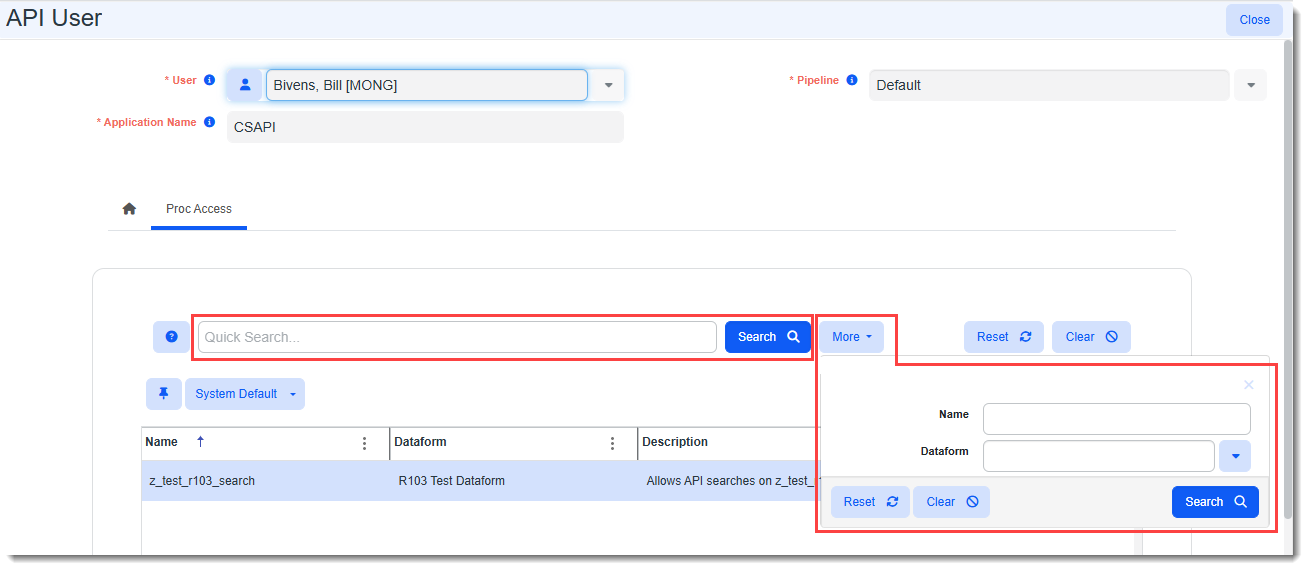
Viewing API Users Custom Stored Procedure Assignments (Global Admins)
Global Administrators with an Advanced Admin license can view the API Users Proc Access tab to determine which custom stored procedures each API user can access.
Note: This is view-only access. Only Developer users can manage API custom stored procedure security.
To view API users assigned custom stored procedures:
-
Go to System Admin
 > Advanced > API Users.
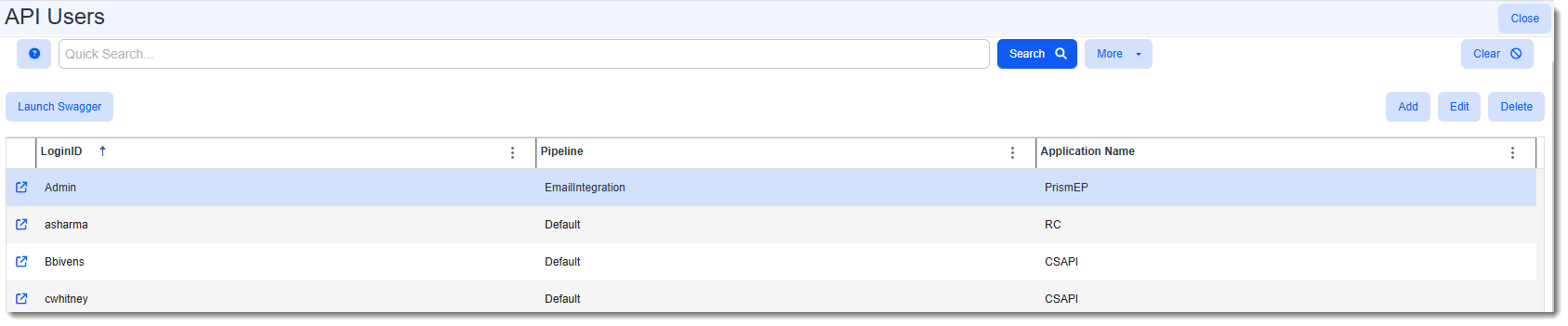
The API Users dashboard displays.
-
Locate the API User and then click
 (Open) next to the API User LoginID.
The API User form opens.
-
Click the Proc Access tab.
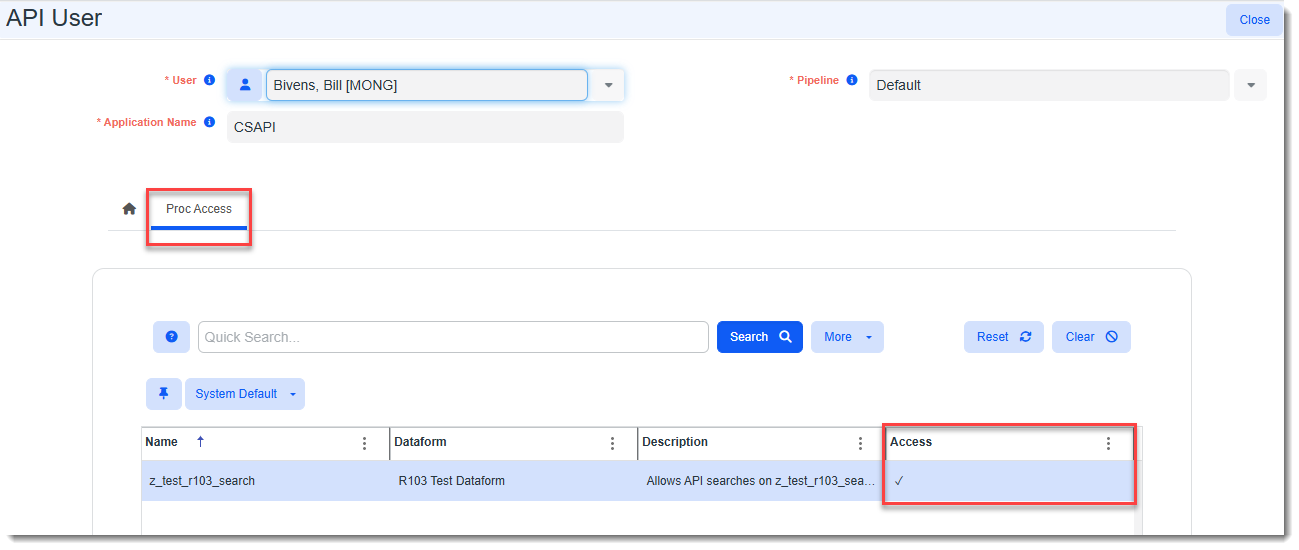
The procedures to which the user has been granted access are displayed in the grid with a checkmark showing in the Access column.
Note: If there is a long list of procedures, to locate a specific procedure, you can conduct a Quick Search by keyword or a More search to filter by procedure name or dataform name.