Configuring BPM Contribution Method List Display Values
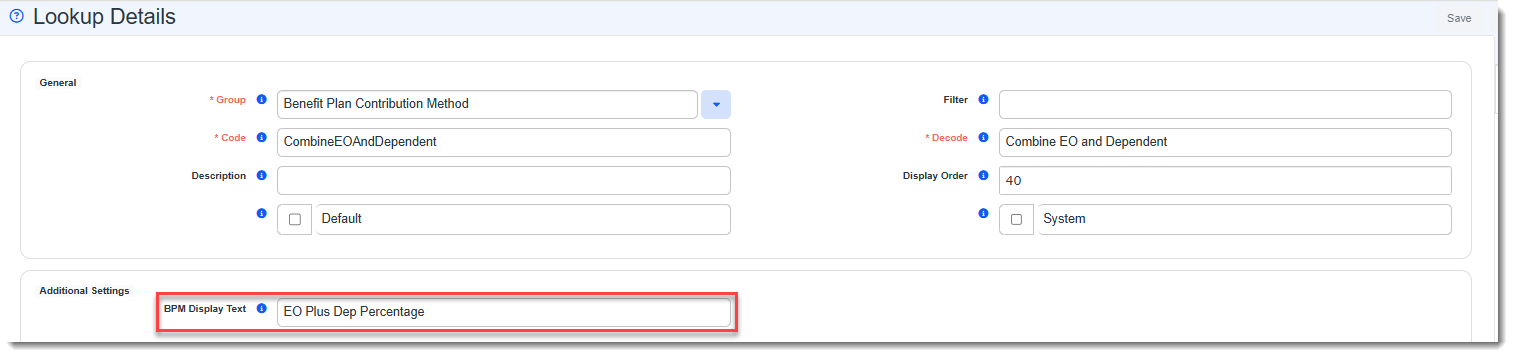
You can change the BPM Contribution Method drop-down list display values using a metadata field named BPM Display Text located on the Benefit Plan Contribution Method Lookup Details for each lookup value.
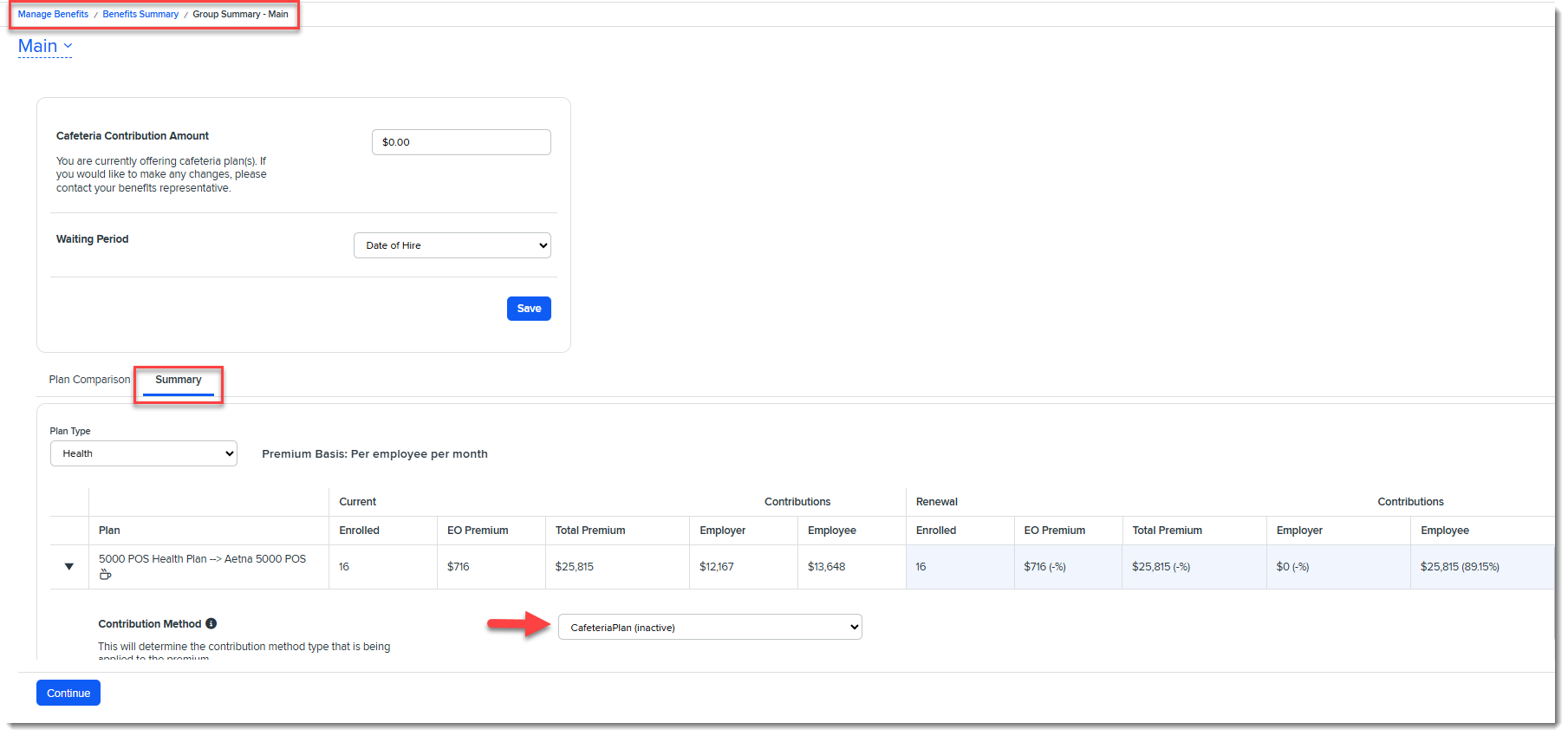
Also note that any Benefit Plan Contribution Method lookup value set to Inactive does not display in the BPM Contribution Method drop down list unless it was used already on an Offered Benefit Plan (OBP) in BPM. In that case, the lookup displays in the list as "read only" with the word "inactive" displayed next to it in parentheses. EX: Cafeteria Plan (inactive).
Steps are provided in this topic for setting the BPM contribution method display text and inactivating a contribution method.
Setting BPM Contribution Method Display Text
To configure the BPM Display Text field for each Contribution Method lookup value on the Benefit Plan Contribution Method lookup group, Benefit Plan Contribution Method Metadata must be set in the Metadata Dataform field. (This should already be set for you.) Once this is set, you can open the associated Lookup Values and set the BPM Display Text field value for each.
To configure lookup settings:
-
Go to System Admin
 > Lookups > Manage Groups.
 -
Locate the Benefit Plan Contribution Method Lookup Group and open it. Ensure the Benefit Plan Contribution Method Metadata dataform is displayed in the Metadata Dataform field. If it is not present, select it from the drop-down list.
Note: The field value has a gray background and cannot be changed once you have added metadata to associated lookup detail records.

-
Click the Lookup Values link in the right panel.
-
Open a Lookup Details record and set the BPM Display Text field under "Additional Settings" to the desired BPM display value.
-
Repeat the previous step to update additional Benefit Plan Contribution Method lookup detail records as needed, making certain to click Apply or Save to commit your changes on each record.
Inactivating Contribution Methods
Inactive contribution methods do not display in the ClientSpace Contribution Method list on the OBP. They also do not display in BPM unless unless it was used already on an Offered Benefit Plan (OBP) in BPM. In that case, the lookup displays in the list as "read only" with the word "inactive" displayed next to it in parentheses. EX: Cafeteria Plan (inactive).
To inactivate a contribution method:
-
Go to System Admin
> Lookups > Manage Groups. -
Locate the Benefit Plan Contribution Method Lookup Group and open it.
-
Click the Lookup Values link in the right panel.
-
Open a Lookup Details record and uncheck the Active checkbox in the bottom left corner of the record.
-
Click Apply or Save.